Showing posts with label coding. Show all posts

Thursday, 26 April 2018

Energise Conference 2018 Day 1

An early start to the day saw me driving out to West Rolleston Primary School picking up a couple of other educators on the way - great to see Rachel Chisnall again and have a quick catch up before the day started. One of the things I love about these is the catching up with people and the day certainly gave me opportunity to do that.
These are my notes from the day - they are not edited, but give some idea of what was talked about, and a few links for further reading.

Keynote:

Engaging the disengaged learner

Difference between how boys and girls were treated.
Ted talk about this. What was happening for boys in schools
This is research after that
Tends to apply more to disengaged learners in elementary level
Active learners, we wish they looked like students who read, are engaged and are excited to be at school
Really, they are: gamers, play with guns, love super heroes, and they are disengaged. Favourite subjects pe and lunch.
In the US if you are a boy you are 3 times as likely to be: Expelled, suspended, in Special Ed, Leanring disabled or emotionally disturbed.
Even higher if poor
4x more likely to be identified with adhd.
75-80%of all adhd medications are given to boys. Are we medicating just because they are boys?
Medication used as a calming tactic
Pisa test results, low for boys in reading and girls in maths and science. About 7years ago the girls topped everything.
For every 100 women who earn a bachelors degree, only 73 men earn one.
Zero tolerance policies where you can't write about certain things, eg death, tornadoes etc
Compressed curriculum, in US they are teaching things earlier
Cultural differences from classroom to their lives. We spend time at school, then we come home and do our learning
Minecraft vs Minecraft edu, can't blow things up and no zombies. Took all the fun out of it

Games? What can we do with them to truly engage kids?
Wanted to disrupt culture
It's important to engage the disengaged population.
Could have opportunity to move as another way.
Teachers like games as long as they are not violent. They prefer collaborative games as well
Problem with gaming
Raising Cain video. Not allowed to talk about death. Would say boy is adhd, but only thing he wants to talk about is death.

Normal development stages
Mixed evidence in impact of violent video gaming. Less and less mixed.
Kids who play games are less likely to commit those acts as they are living it out and experiencing failure through playing games.
Normal stage of boy development is about death.
Clips of interviews with boys - about failing
Trying to give the person the answer that they want.
In a game it's all right to fail. At school it's not. You only get 1 shot at it.
Game culture vs school culture
Gaming helped them with 21c learning skills
Madden,American football learnt lots about patterns
Lots of girls game, they play different games online. Companies are wanting girls to get skills from Call of duty type games as girls need those skills.
Not educational games. They are not interesting.
Not gamification either.
Start where THEY are. Learn THEIR games. Sit with them and lean their games. Can you flip a classroom with games?
Map content onto games
Pop culture, movement, project based.
Using libraries to house gaming computers and they find other things while they are there
One Stone school. Student governed
How do you deal with parents?
Wouldn't suggest a game above the appropriate age level
Games can be addictive
There are behaviours you need to pay attention to.
Don't like the violent part, then allow those that parents say is ok to watch violent movie - written consent.

What about attention span?
Since Sesame Street there has been conversation about attention span.
All fast back then, but we can still do study.

What about social life? Letting them play games. They socialise in a different way. They are very social beings.
It's about adults changing their definition of social.

Research outcomes. What is it that they are learning? Ask them what they do, not what they learn.
Increases communication, leading teams and tribes.
Specific skills for specific games
Doesn't want them in the classroom. Kids don't like 'educational games'

Screen time issues. Her kids all play but never worry about gaming time.
Key is making sure they have other activities. All in scouts, school plays.
If you let that get out of control it can. If they are not doing other things then it can be an issue.


Workshop 1
KateBrown, developing engaging integrated units

Works by herself
Supports school to develop curriculum that is relevant.

ICE
Important understandings for children
Connections need to connect with learning. They have to own it and connect to their world. How many times do we hear why are we doing this, will we need it?
Engaging and fun

Difference between multidisciplinary and interdisciplinary
Multi means many, inter means going between.

Nothing linking in multi, still silo


Beyond a topic into a concept
Want them to understand about this world and transfer into other contexts.
Understanding is the context and all subjects connect
Can use different contexts to give evidence as to what change

Concepts of change
Part present future, Seasons, School environment, Life cycles, Social, Physical, Technology, Agricultural, Entertainment, Why things change, Social justice, Politics, Food choices, Environmental, Family, Gaming, Resources in the future

People think in their subject area.

Planning unit around conceptual design. Context can be student choice. Can be challenging. Students tend to do a factual report so having the same context creates depth so they have to go back to the conceptual understanding.

When understand change they can learn how to deal with it.

Strategies for integrated learning

If you want integrated learning or needs to be relevan to all subjects

Learning areas that drive understandings of the world are generally social sciences, science, health and pe, some tech.
Where we communicate is English, maths and stats, arts, tech, or and language.
Need all working together.
 
Not just about doing a pretty project
Developing conceptual understandings requires the learner to :
Construct meaning
Make sense of things
See things from a different perspective
Develop deep understandings

Used to assess on what they knew and what they did.
Now 3d with understanding
Facts and concepts
Apply learning to different contexts

Why math concepts are so important. Water slide into paddling pool
Friction, materials, distance, physics,
Nothing we do where we only have to deal with one concept.
Using lots of combinations of concepts

Time required for collaboration. Expertise of teams is worth it

Direct acts of teaching are important sometimes.

How do we do this and relate to NZC

A concept is an abstraction which pulls together a number of facts. Concepts grip certain facts together

Transferable
Timeless
Universal
Abstract to different degrees
Not locked in place time or situation


We were given some pieces of paper to look at clarifying which were concepts and which were not - our group had a few we were unsure of.

Is space a concept or not, is both.
Prose has rules around it so not a concept.
Fiction. There are things that are and aren't. So not a concept.

When you don't understand a concept it is generally because you don't understand the language.
Could look at Anzac through the concept of conflict
Start with something the students can relate to. Still need to have some facts.
Connect the concept to the student first. Conflict with other students

Then go local. What is in your community? conflict with Cathedral
Then national
Then global, Syrian civil war
Young students start with just personal and local

Need an emotional connection to learning

We then worked in groups and looked in a bit more detail around the concepts of:
Conflict
Technology and Ethics
Innovation
Environment
Structure

Then looked at the planning of these concepts:
Select the concept, for example systems
Develop the understanding
Unpack for students
Guiding questions
Why is questioning difficult for students once they start school? They are good at it age 3 and 4!
Hands on activity to construct a meaning for themselves
Tall about classroom or school as a system then ask these questions.
Then go to NZ curriculum
Learning areas and achievements objectives that relate to concept
There are AOs that relate.
We select which ones we want to use.
Schools are doing 1 or 2 concepts a year. We have been in the habit of doing too much
Then use AO to turn into understanding

We don't use the AO enough with the students. Conceptual understanding is success criteria


Can use across curriculum levels - example of Community as a concept across Levels 3,5,7


CherylDoig - Provocations
Cheryl led us through 6 provocations and we then had the opportunity to go and write our thoughts on each. A great opportunity to think outside the box and look at some different ideas and thinking.


What do you think is happening here -  Painting in background and students on phones
They are engaged or they are not. Could be art gallery process of learning? Lots of possibilities
What is the relevance of the painting?

Let me invite you to believe pigs can fly. What are the possibilities for education?

1. "If you always do what you've always done, you will always get what you've always got".
Create a solution that pushes the boundaries of creativity

2. If you were the boss of education in NZ what would you do first?
Go online and respond

3. Give young people more choice, more access to technology, more and varied opportunities especially for independent learning while keeping each schools character and motivating is to learn. Just don't allow today's reality to limit tomorrow s possibilities.
How might we create a city that is #oneschool?

4. 21c skills
How might we map student learning in ways that we haven't yet considered. Foundational literacies

5.
The x prize www.xprize.org
Human Ai collaboration to tackle the world's grand challenges
Harvest water from thin air

6.
Online
Bit.ly/mlparents research of evidence and success, share resources


Emma Planicka
Where to start with the digital tech curriculum


How can we successfully integrate digital technologies in to our teaching

How can we support and engage students in understanding new advanced concepts
Do we already teach aspects of things like computational thinking day to day.
Progress outcomes.
Break down each of those.
Do our students have those skills yet?
Designing and developing digital outcomes


We were invited to try out a few different activities to use these outcomes:
Activities
Maze
Tynker space cadet tool

What key skills are they using day to day.
Making a sandwich
Sets of traffic lights

Using padlet to share ideas


Tools you can use:
Have basics then put more info in behind it on ppt
Sphero edu community

ibooks and Swift playground
CS Unplugged just been updated. Continual new resources being put up

Great day today - looking forward to tomorrow :)

Sunday, 1 April 2018

Lifelong Kindergarten

I have been reading quite a few books lately and thought I would share a few, as I have been moved by so many of them, and keep having the "yes!" moments. This is the first of a few that I had on my list to read. These are just notes and quotes of things I liked or found interesting, or maybe want to read more about, but hopefully it will give you a taste of what it is about and make you want to read it too!


Lifelong Kindergarten
by
Mitchel Resnick

You can purchase this through quite a few sites, and I certainly do not regret it! The website is here, so you can read more about him and his work. It also has a list of further reading which looks great!


At a conference his nomination for the best invention of the last 1000 years was kindergarten. Only 200 years ago it was very different from traditional schooling. Froebel invented this approach knowing that the broadcast approach wouldn't work for 5yr olds.
Kesnick is convinced that "kindergarten-style learning is exactly what is needed to help people of all ages develop the creative capacities needed to thrive in today's rapidly changing society."
He discusses Froebels approach and the troubling trend of more and more kindergartens doing math worksheets and phonics becoming more like school. He argues for the opposite that school should become like kindergarten.
He thinks of the creative learning process in terms of a creative learning spiral pg 11 and discusses how this works.
One of the recurring themes in the book is the Scratch community. He is a founder of Scratch and uses it often as an example of the type of learning he is talking about.
The development of Scratch has been fixed by the 4Ps of creative learning...
Projects
Passion
Peers
Play
Some discussion around the difference between techno-enthusiasts and the techno-skeptics. Is interesting with him looking at pro and con of both, agreeing and disagreeing with both as well and giving some interesting points to think about. I like "people tend to forget that crayons and water colours were voted as 'advanced technologies' at some point in the past".

The next chapters go into more depth on the 4Ps.
Projects get a lot of information about the maker movement and he discusses the learning that is had from making, in particular with Lego and logo, computer program for Lego. This is a link to the foundation with lots of resources on as well. He also goes through how project based learning teaches students concepts in meaningful contexts rather than in disconnected problems in more traditional learning.
Passion chapter talks a lot about Computer Clubhouse and the students who would go there after school for hours and being engaged with learning and being creative.
"passion is the fuel that drives the immersion-reflection cycle"
This is for all ages, from small projects to a thesis, if you are not passionate about it, you won't persist and persevere through the challenges you come across.
There is a section on gamification and badges, the effect of giving rewards being negative when creativity is involved, the lure of reward or payment makes the focus and doesn't allow for creativity, just an end product.
"if your goal is to train someone to perform a specific task at a specific time, then gamification can be an effective strategy... But if your goal is to help people develop a life long learners, then different strategies are needed."
His views on personalised learning are aimed at giving the learner choice and control over their learning.
Mentions Karen Brennan exploring the relationship between structure and learner agency. Difference between an online Scratch community which has lots of agency and little structure, they can create what they want, to school classrooms usually with lots of structure and little student agency. She argues that the best learning environment would be one that "employ structure in a way that amplifies learner agency"
Peers - Design of the space is important if you want peers to work together. Small clusters of computers, tables to sit and discuss ideas and room to move around are important as well as sample project ideas and the place for them to get ideas from. Priority being that they choose who to work with on same passions.
A big influence on Resnick s work is Seymour Papert's book Mindstorms which talks about Brazilian samba schools where they go to create music and dance for festivals. It is interesting to read how he talks this idea and has used it in the design of Scratch. I read a sort of translation of Mindstorms which was quite interesting, you can read it here.

Openness is talked about, sharing with others and remixing projects. This can also lead to controversy and has done so in the Scratch environment where their policy is that all projects are covered by a Creative Commons Attribution license which means you can change anything as long as you give credit.
We have been brought up in schools to always do our own work but that's not how the scientific community works, they share ideas and build on what others have done. We don't teach that.
The Scratch community has a strong culture of care and has guidelines to encourage this. They are told to be respectful, constructive, honest and help keep the site friendly. They unpack these for all members.
There is a good section on the lessons they have learnt around having this open and sharing community with both the pitfalls and the successes.
There is a section on teaching and how they train their mentors for the Codeclub. Often teachers do one of two things, deliver information and instruction or leave children to do it themselves, neither of which works.
Computer Clubhouses try and blur the lines between teaching and learning. They teach their students to "serve as catalysts, consultants, connectors and collaborators within the community, helping others to learn while continuing their own learning."

Hole in the wall experiment by Sugata Mitra - wonder when learners need support and guidance?

" Play doesn't require open spaces or expensive toys; it requires a combination of curiosity, imagination and experimentation "
Playfulness:
Playpen vs playground
Playpen environment with limited options and a lack of risk and creative opportunities.
Playground they have room to move. They can work with others and be creative. Lego is playpen when following instructions to build something. Can be great to gain expertise in building and learning new techniques but if you want creativity step by step instructions then it should be the beginning of something, not the final destination.
He talks about tinkering being between playing and making. People tinker around and make mistakes and try new things. Making prototypes and testing and trying again. A great way to develop creative thinking.

Dennie Wolf and Howard Gardner identified two main styles of play, patterners and dramatists. Patterners love patterns and structure and will play with blocks and puzzles, dramatists love the story and social interaction, more likely to play with dolls and animals.

Wellesleyrobotic design studio more suited for dramatists, MIT robot design comp for patterners. Need to have both styles. Some are planners , some tinkerers. Some take more time than others. Need experience in all styles as some are more use than others in various situations.

KenRobinson emphasises the importance of making mistakes. Coding is an easy place to do that. Debugging helps that process and there is more than one way to get an answer.
He talks about how to assess creativity and how schools tend to focus on things they can measure rather than the things that will make a difference in kids lives.
Reggioclassroom always making learning visible.

Ten tips for learners, based on a list made by students and then he has added comments:
  • Start simple
  • Work on things that you like
  • If you have no clue what to do, fiddle around
  • Don't be afraid to experiment -I like the comment on here that is useful to be able to follow instructions but if you only ever do that you will get stuck when you come across something new that has no instructions
  • Find a friend to work with and share ideas
  • It's ok to copy stuff to give you an idea
  • Keep your ideas in a sketchbook
  • Build, take apart, rebuild
  • Lots of things can go wrong, stick with it
  • Create your own learning tips


Ten tips for parents and teachers
Based on his creative spiral he gives 2 tips for each component.
I really like the idea of extending project time where they can work for weeks on projects in school.

Ten tips for designers and developers who want to engage children in this sort of learning. He talks about the difference from deliver to enable, low floors, high ceilings and wide walls.

Good final section is about how we can break the barriers to enable lifelong kindergarten.
There is also a great further reading section.

Wow - I was very inspired by a lot of this and want to read more, and do more. Very keen to learn more about the Computer Clubhouse (there are 3 in New Zealand...) and read all the articles on the links I've put in. Lots to do....

Thursday, 23 March 2017

#E2 Toronto Day 1

Crazy day at #E2 today. It started with an amazing breakfast in the ballroom (strange place to have breakfast) where I sat with the team from Britain. Really interesting having a chat with them and finding out how their schools worked over our bacon and eggs and fruit. My next chat was with an MIE Expert from Khazakstan. I found out where Khazakstan is (which I didn't really know) and also that the capital is Astana, which is where he was from. It's fascinating finding out about other people and the countries - great for my poor geography skills!
These are my notes so they are often in shorthand. Don't expect great grammar!

Session1

The morning started with a performance by the Mini Militia, a local dance group who use the passion of art and dance to empower them in their lives.
 They were a really energetic and cute crew who wowed the crowd with their break-dancing skills. We were told that there were 240 educators from 83 countries at the conference and that we had travelled 1.7 million miles to get there! Marc Seaman, the National Director of Education and Public Affairs fro Microsoft Canada welcomed us and Reza Moridi, the Canadian Minister for Research, Innovation and Science shared how innovation and Science are critical to our future. He asked "How do we prepare students for a world that is constantly changing?" He mentioned that fewer and fewer jobs are untouched by technology and reminded us about so many jobs that were not possible in the past are now a reality, like an AI Engineer. 
John Meyers, the President of Edsby, a cloud-based platform for schools, spoke about the difficult job that teachers have. He reminded us that parents can get confused when teachers all use different tools so it is important for a school to have the same tools right throughout. He also said that social media was a good way to communicate with parents and students.
Lisa Anne Floyd spoke to us about STEM and computational thinking. She said that learning about algorithms and software can improve every area. We can write algorithms if we learn how to code. Failing is ok. Errors always happen. This helps us with all of our learning if we can learn the skills. Failure to programmers is just a minor setback. It's a first attempt in learning. Learn to code for transferable skills. Algorithms need to be diverse and culturally rich so everyone needs to write code. We need to expose all students to coding. Coding can enhance mathematical concepts. She showed us a few quotes from George Gadanidis and his website looks great. Code.org is a great resource and you should check out the Microsoft imagine website. She talked about curiosity, empathy and creativity needing to be there as well as computational thinking and suggested we go from multi tasking to multi asking across cultures and ages. She uses Skype to spark curiosity and asked the question:

"How can you help your students to be creators of future miracles?"

My morning tea was spent chatting with a teacher from Iceland. He was the first MIE Expert from Iceland to attend and E2 and was there by himself. Amazing chat and I learnt a lot about schooling over there, as well as the fact that they only have a population of around 330,000 people!

Session 2


One of the amazing opportunities we have over the conference is to work with other educators from around the world. We were put into teams of 5 or 6 and given a challenge to #Makewhatsnext. My group was Lieu Nguyen Thi - Vietnam (our MIE Fellow leader), Lingshuang Zhao - China, Jorge Francisco Sierra-Perez -Ecuador, Carlos Ernesto Henriquez -El Salvador, Eddie Tay -Singapore. What an amazing bunch of educators! We were tasked with creating a clever solution to an every day problem, making an innovative possible solution to a common classroom issue that can be universally implemented. These all had to be an improvement or addin for Microsoft products. A new feature is on the cards! Our group got a great idea before the end of the day and with only a few minor language issues, we got started on our task. This is a competition and the MIE Fellows and Microsoft will be judging our work this week. The judging criteria is based on the we.org framework and how our idea impacts student learning and why is it an innovative feature.

Session 3

I went to a session this afternoon where there were 4 teachers telling us about the amazing things they were doing. The first was Velichka Dafcheva @vilidaf from Bulgaria talking about Computer Science and programming. She uses Micro:bit in her classes. Then Rachel Chisnall @ibpossum from New Zealand spoke about teaching teachers and personalising professional development for staff. This is something that is dear to my heart as we talk all the time about personalising learning for our students and yet so much professional development is a bunch of teachers sitting in a room listening to a lecture - just what we wouldn't do with our students. She used some great analogies to get across the difficulties we face trying to help teachers change and move forward. Finding the right tool is important and once we do that staff will take up the challenge and find their own way around problems. Change comes whether you like it or not. It will be different. Find strategies to help with change. We need to get staff voice heard and then act on what they say. Model risk taking!
Marisol Smith Irazabal @PnLpZ gave us an insight into bridging the gap between neuroscience and technology in education. She gave us an outline of the Triune Brain theory and explained that when we are under stress, our thinking brain turns off and we use our reptilian brain, which works on the fight or flight concept. Her suggestions to engage the brain are:
Provide meaningful content
Movement is important
We learn in a social environment
Use mirror neurons (yawn when others yawn) - need to show compassion
Provide choices - every brain is different
Give immediate feedback - when they want to achieve something they need feedback straight away
The last speaker was Amanda Jolliffe @msajolliffe who spoke about ideas to use in the classroom to increase engagement. She used Blooms Taxonomy to explain what they are doing in her school. She talked about making the move from teacher centered to learner centered learning and how this can take time to implement. This resonated with me in my new environment, looking to change how we work with our students. If we want to improve education we have to set a good environment and get student feedback on what we do.

Group Challenge


The rest of the afternoon was spent working on our group challenge. We finally narrowed our idea down to some changes for Microsoft Forms and we went to work on designing these. Being the only person in our group with English as a first language had it's challenges. Luckily a number spoke Spanish and could translate for each other, but it was good to remember to use simple language and it made me work on my explanations and terminology for the others.

Evening


Our evening was spent with other educators from the Asia Pacific region. Microsoft shouted us a fantastic dinner at The Hot House in Toronto and it was great to have some time to talk to others about their day and their groups.

Day One done. Lots learnt and lots to think about. Excited that I got a photo with Mr OneNote himself, Mike Tholfsen. The man is a legend and I had a great chat with him over lunch. Another day tomorrow. Bring it on.


Thursday, 8 December 2016

Apple IT training at Haeata

We were lucky to have some Apple Experts come into Haeata to talk us through getting the best use out of our laptops. These are my notes so that others can also gain some insight and perhaps get a few tips.

James Petronelli, Meredith Bean and Dan Partridge were with us for a few hours and they took us through some of the software we have on our Macs, but also gave us some hints on Accessibility and quick tips. I personally knew many of these having been a Mac user for a while but it's always good to have a reminder and as always, I learnt a few new things.

James opened with some context around using technology in the classroom and showed us a video from the String Theory Schools which I hadn't heard of. It was interesting to go and have a look at their website and learn more about this. Seeing schools using technology always brings me back to the SAMR model and
remembering why we use technology and what the reasons are for this. One app he mentioned was Elements 4D app for Chemistry where you can see reactions between 2 elements. I was intrigued by this but don't own an iPad, so I went looking for it online. I found it was available on Android and Apple so I downloaded it and had a play with it on my Android phone. It's pretty cool, but I felt the phone screen was a bit small to really see what was happening, so the bigger screen would be better. I'd love to have it on my SurfacePro with the bigger screen, so have sent the company some feedback to that effect.


As a GAFE (Google Apps ForEducation) school he asked us "how are you pushing students to demonstrate learning?" We need to go beyond what we are doing. Our technology becomes a tool - a musical instrument, a sketchpad, a camera. Apple have been working hard to cater for diverse leaners. They believe all technology needs to be accessible and straight out of the box. Apple has a screen reader and an onscreen braille keyboard accessible out of box.
I liked the question "What is the reason to download an app?" as many that are downloaded become just skill and drill apps. Students are not creating things but the technology is just keeping them occupied. They "play on iPad" instead of "learned" on iPad. Everything on iPad and laptop is for student creation not consumption.
 
"Everyone should have the opportunity to create something that can change the world"

Things that make a technology learning programme successful:
Vision, team, community, measurement, student learning, porfessional learning, environment design, financial stability.

Simon Sinek's "Starts with Why" course was mentioned and I had a look at this. I like the quote "Your Why is the very reason you exist".

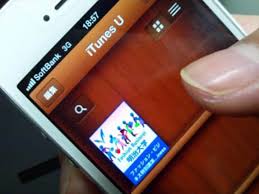
iTunesU
This is the largest site for educational content. You can download the app from the store on an iPad. It is designed for touch screen which is why it is not on a laptop.  You can create your own and access more that others have made. Opportunity for kura to create content to talk about history or for teaching Māori.
There are Podcasts created by schools, Uni, and libraries to share content.
They have been working with Te Akau Ki Papamoa Primary School putting up materials, one of these being minecraftmeasurement101: create your school in Minecraft which has all the information on how to do this. He also mentioned the Gallipoli in Minecraft Exhibition, amazing ideas in here for teaching.
There are lots of resources on iTunesU that we can redesign for our classrooms. Everything, courses and pdfs are all free. There are also Apple education courses to learn about specific Apple products - search for Apple Ed - Units of study.
We then went through how to create a course in iTunesU which was very simple. You can put anything in an iTunesU course that is digital including Mp3, pdf, audio. You can hand in assignments and also grade them, although at this stage grading is just a number, not our system of Achieved, Merit Excellence. I thought this was  quite good as a course system, but the way we are looking to have learning at Haeata it probably was not going to be that useful. I did wonder though if students could make their own courses for other students. Something to think about.

iBooks Author
The next app we looked at was iBooks Author. This is free and could be used for creating teaching resources to be read on iPad or Mac as well as for students to create their own books.
We looked at "Tigers" and were shown how you can highlight text and have text spoken to you, although the app is not good at te reo yet. More suggestions to send to Apple. However, you can record a voice into the book so you could read it yourself. You can take notes on a book which highlights it, then you can see all notes you've taken and make study cards if you want them. There are lots of cool widgets to add to books and we were taken through Phasmids  which has some great examples of widgets in action.
We also looked at the iBooks store where if you search for Apple Education there are lots of instruction books for apps. Really hepful when you get stuck!
When writing an iBook it is template based so you need to look for the layout you like. Students prefer landscape. Stick with the template by dragging and dropping. A good way to start a textbook is with a video to draw them in. The table of content auto generates which is nice.
My reservation with iBooks is that you can only play them on a Mac. I feel this could be limiting if the student doesn't have a Mac at home. I found this article which talks about the pros and cons of using iBooks. 

Tips and tricks:
Turn off notifications - Go to the top right of your screen and click on the 3 lines to find the notifications.
Adding te reo Maori keyboard instructions - Here is a link to instructions for Mac and PC.
Ability to zoom in and out - Go to Preferences - Accessibility - Zoom
Preferences tips:
Display - Can change size of cursor, contrast
Speech - Karen closest to NZ accent
Dictation - more you use it the better it works/ Open up Preferences and enable it. Will recognise some Maori place names. We all need to email Apple and tell them we want Maori dictation!
Use for writing email quickly, can dictate lots of writing.
Gestures
Closing hand on the trackpad brings up access to all apps, open up to close the screen.
To change the gesture go into Trackpad.
3 fingers pushed up to see all open apps.

To bring up Spotlight search - Command-space - can use to search anything on the laptop including emails. 
Screenshot - change where it goes to by following these instructions.

iPad 101
Button at bottom - double tap to see what you have open. Swipe it up to close it. Good to see what students have open by double tapping.
Swipe up from bottom to get control centre and use orientation lock.
Swipe down from top for notification centre.
Swipe from middle to get Spotlight.

Classroom App - free on store
You can lock iPads.
Can open same app on all iPads. Can make small groups and push out pages or apps. Can lock them in that app until teacher changes it.
Some groups are created on the fly so you can see who is on camera, in safari etc.
Can have an iPad managing multiple classes as well.
Built dependant on wifi network though. Need a good network.
Blue bar at the top of student iPad means they are being watched. Students learn to self-managed.
Can share student work on a particular iPad via AppleTV.
Can be used for NZQA online assessment and testing - could take students into an app to create assessment and can lock the iPad to that app to stop them from browsing.
It can't work with BYOD - have to be institutional iPads. 

Coding
We need to see coding as a digital literacy. I totally agree that all students hould be given the chance to code as I see it as a step to problem solving as well as a technology skill.
We had a look at Swift Playgrounds which is an app for iPad which enables you to learn to code in the language of Swift, which is for Mac. It has to be an iOS10 iPad to run.
Some notes:
Can pinch and zoom into the coding graphic
Click on character and you can choose one
Click on speed button - can run it really fast or step through slowly - can see where you go wrong
Pictures, pdf or movie to prove learning - can broadcast live
Commands can be typed in - j key drag to right and it give () or {} by just one key
Can reset page or can reset whole programme - if sharing device need to save vid or pdf and they can go back to where they are up to with menu.
In iBooks, they have built a teacher guide on how to teach students to code.
Swift is Open Source - coding for iPhone and iPad apps and for Linux as well as ports to Windows, Android and Raspberry pi.
Playgrounds are prescriptive but you can create your own later in the learning process.
Targeted at 8 to 10yrs. Can do basic coding younger than that and I found this product, OSMO, which looked like quite a cool idea to be able to create the code with your hands first. I am also very keen on the ideas on the CSUnplugged website to teach coding to students. There are lots of resources out there for Mac, Android and Windows. It's important to know what you are trying to achieve first. 

It was a great session to get to know some new apps and to think about the use for these at Haeata. It also made me think a lot about what is fit for purpose and what the best tools are for the job we want to do. We do need to be careful of jumping on a train, when there may be another one that takes us to our destination faster and with more options. There is so much out there worth investigating.