Showing posts with label SAMR. Show all posts

Sunday, 11 November 2018

The changing face of education

There have been a few things coming up in the media lately around the changes in education in New Zealand. Two have really caught my eye in the last week. One of them I kept reading and going, yes, yes, and one of them got me riled up about what people think we should and shouldn't do with education. That one inspired me to write this and put my own personal thoughts out there in the public forum.

Learning Revolution or Pathway to Ignorance?
Insight Article- link
Podcast link

I took a few notes while listening to this podcast. After reading the article I felt the real disconnect between many schools about where education is heading. There certainly is a divide and I'm glad I am on the side I am.
Hobsonville Point 
Most learning in 2 subjects done in modules of 2 learning areas together.
Deep understanding comes from links between subjects. Students and teachers co-construct contexts. Most schools the teacher decides the contexts. Can engage students more. They don't do NCEA Level 1. Some parents don't understand about what they are trying to do.
One student found it was a shock to do this style of learning, but was loving it. "Instead of just doing work for the sake of a grade and then get ranked, I was doing stuff that I was interested in and that meant something to me and my future".
It doesn't work for everyone. Lots of talk about why it doesn't work. It's up to the student to make it happen.
It's hard for parents to get their head around.

Haeata Community Campus
Working towards a model of students developing their own learning
Want the passion for learning, rather than being credit driven

Teachers have to be a facilitator of learning. Students need to have control of their learning.
Modern approaches in learning are widespread in Primary Schools but not so much in Secondary. Some have adopted the changes and some have not. Some think they shouldn't be moving this way.
Schools need to do more than just teach subjects to get students through NCEA
NCEA review results will be out next April - looking at having a project at Level 1 NCEA.
I think all schools would agree that involving students in designing learning, collaborating and use of technology are important factors in education.

Some comments made in the podcast that I want to say something about:
Teachers can't teach all those subjects in a transdisciplinary way
This is where collaboration between teachers is so important. We have strengths, we have areas of knowledge that are stronger so we need to team up with other staff to help our students get the depth and knowledge around areas we might not be so strong in. We also need to model that we don't know everything. This is an opportunity for us to upskill and learn new things and be passionate about learning. We need to facilitate learning, rather than be the fount of all knowledge.
Revolutions in technology have changed schools a lot
I am not sure many schools are using technology to change education. I see many just swapping the textbook for a pdf and pen and paper for a doc. I'm wondering how many are at M or R in the SAMR model. Perhaps this is something all schools should look at as an overview for use of tech.
You can't show a video or have open debate about things in the new Modern Learning Environments 
I would argue that, as we have breakout rooms and spaces if you need an ecnclosed space, plus we are often using our open spaces in small groups having debate and discussions and teachable moments. We often have debates and show videos, even in our open spaces.
Secondary schools are for learning specialised knowledge not for play
See my blog on Lifelong Kindergarten. I believe that we should be playing - we should be doing projects and that the specialised knowledge will be learnt as required. The old style of passing on knowledge from teacher to student is no longer applicable - the students can learn pretty much anything online if they want to. We need to be teaching them how to access that knowledge, then guiding them through projects into more depth.
Universities are finding huge gaps in knowledge I agree this will be happening - it has happened for a long time. From my own experience I know that in music, many students don't do the aural and theory externals (chosen by teachers to not sit them), but still go to Uni to do Music. There will be gaps in this area. What is needed is for the Universities to rethink how they are also delivering their courses and what they are expecting their students to do. We have so many graduates coming out of Uni not getting jobs. Why? Jobs are changing (check out this infographic). Employers are wanting more than content. They are looking for skills. Critical Thinking, Collaboration, Creativity - the list goes on. Having a degree with purely content is not enough anymore. Workplaces have had to adapt - so does the education system.


The Futures of Learning
Education  Research and Foresight Working Papers by Cynthia Luna Scott
Report link

I read this and highlighted lots of things that I really believe in. I found it really inspiring and affirming that my beliefs about education are on the right track. It's a long document but worth a read if you are really interested in the future of education. Even if you just skim read the headings, it will give you an overview. This paragraph (taken from Pg16) sums it up for me:

"What adaptations can be expected in education in the near future? Teachers will remain, but their roles will be extended as mentors, mediators and guides, facilitators, learning coordinators, assessors, and designers and compilers of learning tools. Testing will most likely continue, but assessment will become more individualized and formative. Learning will become more personalized and customized to reflect students’ individual needs and interests, and informal learning opportunities will become recognized alternatives to traditional formal education. Transformed learning environments will encompass customized learning for each student, wider availability of diverse sources, and collaborative group learning (students will learn together as they work collaboratively on authentic, enquiry-oriented projects). Real-world experience will permeate learning activities. Most likely, schools will remain but classrooms will become more open to diverse learning experiences and instruction will likely move out into the community. Education providers will still offer face-to-face learning, but this will be supplemented by informal and virtual opportunities. Self-responsibility for learning will be essential and learners can expect to determine what their learning profile will look like. New tools for learning will be developed. Technology will support personalized learning processes and facilitate inclusion and equity."

This is what we are heading towards. This is what I believe in. This is why I am at Haeata.

Saturday, 28 April 2018

Energise Conference 2018 Day 2

Our second day started with the Energise Surprise, which involved us being in teams of 3-5 people and being given tasks to complete that all revolved around a Sphero.
Our initial problem was working out how to drive the Sphero - we were all pretty bad at it, and somehow I ended up doing the driving, which was entertaining to say the least. We had a few tasks to complete including painting our Sphero and making patterns with it, swimming it across water and racing a chariot to the finish line. A lot of fun was had and I know lots of people were talking about how to use Spheros in their schools after that session.
My problem with getting these blogs out is that I keep reading all the articles I link to - today's blog has taken hours, as I got quite excited by some of the links. Ah, the joy of learning.


Action learning for professional growth

Unfortunately Pip could not come to the conference so Rachel delivered her talk and added her spin on it. She very kindly said I could share the slides, so here is the link to those.


Reason for chameleon. Different skin to change for different environment.
Kids get more out of you from the relationships you form than the content you give
Learning is like the Rakaia, all different paths all trying to get to the sea
Think about what you want, then how to get there won't matter. You will learn the bits you need.

MSFT peercoaching, need a catalyst. Need a structure or scaffold to make collaboration effective.
Focuses on 21CLD
Focuses on action-learning
Focus on the group action rather than content
National School Reform Faculty -  having a critical friend. Makes you think about why you are doing it that way.
Design thinking - Phillipa Antipas has several blog posts on design thinking
Fail fast, fail often

Collaboration, what is it?


Staff survey, what did they want to learn about
Some tech and some much broader
ALARM, writing and literacy
Came up with those ideas and staff had to pick a group
Then a question, what is driving the choice of your topic. What do you want to know how to do?
Bring it to 10 words max
Some questions around what the teachers, students and families do, eg flipped classroom
Individual goals as well
What we know about this topic on one side and what we want to know on the other. Then take photo for your own use.
Can't always be the best teacher for all of your students. Give them options and access to other teachers if possible.
Culture shift between standing up and telling them or being beside and working with them
Let's ideate, no rules
Write 10 ideas, active with pen and paper, share ideas and record
Killer idea template - on slideshow
Empathy, who are we solving this for, what is their goal, key problems
Idea, what are we solving this for
Benefit, why
Empathy map, x map, who what, why, feelings
How are you going to evaluate the impact
Clear about expectations of each member of the group
Explain, pain and gain speed dating
Explain, what did you do, outcome
Pain, what was challenging, what didn't go well
Gain, what was good
Teachers had to make a resource for other staff in their school out of their learning including examples of how it worked and with whom. 
Notetaking one had apps you could use and things not to do as well.
Sharing resources and contributing to the Kura. Needs to be there for people to use. Makes you do it properly and is useful for others.
This process works well with inquiry in NZ
Inquiry and appraisal hand in hand in some schools, not always productive to trying new things.
Who sets prof learning in your school?
Are you told what to learn or do you have agency. How can you manipulate your own learning?
Rachel went out and found ways to do her own learning
What would a'product' look like in your environment?
People kept asking how to connect printers, did a video on how, but they wanted it on paper. Needed to meet the teacher need. Some staff also saw how you could use that style of teaching.
Growing beyond these projects. Where to from there?
Force people into online environment
Find people to help
How are you going to make that stick ? Have focus because you can't do everything.

Lots of teachers blogging in NZ. Find someone who is where you are at. Sometimes it is instructional, sometimes a rant, sometimes sharing.
Microsoft Educator Community one not all about the Ms products, lots of different courses
Edx, more courses, microcredentials
Free pd
Uses a tweetdeck
#edchatnz

Hint for class - use post boxes, put questions in, get them up and moving around


Session 2 - Jarrod Aberhart
Design thinking

Started with a thinking starter - www.remote-associates-test.com - Use first 3 words to create the last word
Jarrod also agreed to share his slides
From https://www.21cskillslab.com/what-21c-skills/
Dr Seuss writing a book using only 50 words as the result of a bet. Green eggs and ham
P based learning -  p can be project, passion, problem, play-based, people
Top ten skills in 2020 and 2015  (which I also saw in last weeks SCT conference)
Careers NZ - Employability skills. Trialling putting those skills into standards
Taken a step further for his staff. Table of 21cld learning activity chart
Better by design-  human centered design. Getting students out into the world.
A book, choose Duracell, graphic
Chosen lines in it for industrial
Interaction, not sure
Systems, all recycled

Design Thinking Process: shows how you go back and forward
Definitions
Empathy for users - examples:
Taping down cords, solving a problem. Not pretty so students went out and did some research
Nano technology sticker pad tech
Coffee shop, always had huge lines. Developed a coffee app
Girl broken her arm and 3d printed an alternative. Failed but was out working it
Getting to class on time
Getting lunch at the canteen


Conversation tips before they go out to the public. Teach them how to shake hands etc.
Ask open ended questions
See his ppt for that slide.

Getting them to think deeper using 5 why
Ask the person next to you about your design topic to gain some insights
Backward mapping
Why can't you get up on the midnight, why is that an issue, why, why
Empathy map
Do an activity before they go. 
Nerds - What is something they might do. Stereotyping - Rugby player
What do they say, what do they feel, what do they think, what do they do

Next sheet..
We met... Frustrated teachers, unorganised students
We were amazed to realise....
Wouldn't it be great if...
Then go to ideation mode

Best kids at divergent thinking are kindergarten kids. Best test is 1 minute of making things with a brick and a piece of paper. Too scared to be judged.
Build on ideas of others.
Use yes, and....

Drawing ideas on circles - given 30 circles and a short amount of time to make them into anything they want.
Some cant' do it.
Brainwriting/Affinity Map: Group the patterns
Brainstorm questions not answers. Go away and find out about those questions

Roman voting, thumbs up, down maybe
3 stickers next to 3 favourite ideas
Takes away personalisation

Then prototype to explore the solution, then take prototype out to users
Could be role play, and 3d print:

https://atomic.io/ can prototype sensors etc
Built counterweight bike rack
Fisherman's soap, has star anise that attracts fish. Looks like the sea. Designed to lather in cold water.
Good example of human centred design
Lots of links on powerpoint

Uses Agile,scrum board - Scrum meeting each week.
What did you do this week to benefit the group, what were the problems and what will you do next week.
Working on rubrics around collaboration and self regulation


Session3 - StephenMcConnachie, Middleton Grange School and Keryn Hooker - Methven Primary School
E-learning - What should it look like

Students do not learn from technology. Discuss

Whole quote is  Students do not learn from technology, they learn from thinkingStudents do not learn from technology, they learn from thinking. Technologies can engage and support thinking when students learn with technology. Jonassen, D. H. (2003)

Why e learning?
Multiple, students being able to record, make a video, collaboration. Can do things in different ways
Interact, can play with it and interact with each other. Building on each other's work.
Ubiquitous, is everywhere, can be accessed anywhere, anytime.
Engagement, simply using technology at all increased engagement by sometimes that is all it did.
Components and tools for online learning. 

2009 report from schools on ict engagement (not sure if this is the one Stephen was talking about but I found it interesting anyway...)
Tech should support the thinking
What should it look like
Creative
Collaborative
Constructivist

Strategic plan for elearning
Use this in past
Educator community
Enabling elearning site, elearning planning

Learning tool should be invisible. Do need to know how to use the tools
Time consuming. Take that time to learn the tools. Keep on top of the balance. Set up the experts in the room.
SAMR Framework and you can be anywhere in this journey for you and your students.
$$$$ not a good explanation
One flew over the cuckoos nest, why are we reading this. The author deliberate wrote poorly for a deliberate effect.
Choose the right tool for the job for the deliberate effect
Sometimes use paper, sometimes tech
Primary context
5cs of e-learning. Collaboration, Citizenship, Communication, Critical Thinking, Creativity
Communication, Seesaw for communicating with parents to share the learning
Use OneNote for publishing writing and collaboration
Mystery Skype communicating beyond our school
Critical thinking, the children run their learning, choose their workshops. They do pathways and opt in to their level
Student voice, owning next steps
Matific, maths pathway
Collaboration, 21cld skills. Learning pathway around reflection
World in groups in OneNote. Put some structure in that
For Google, set up a table of contents in Google doc so have 1 long doc. Can do headings
Learnz conference great to get to different places
Creativity, stop motion, multiple representations and moral learning. Sharing knowledge without writing it down. Have a day a week to dictate instead.
3d paint, built into windows 10
New PowerPoint you can insert a 3d model. New slide transition called morph. Can make an animal walk across the page
Can use for story telling
Citizenship, be a Star
Stay safe online
Take care with privacy and information
Ask for help if you need it
Respect yourself, others, copyright and intellectual property
Just like any other citizenship things, respectful at lunch etc.

Are the students engaged? Yes, but in what?
What does authentic engagement look like. Engagement with the learning goal, or engagement with the tool. Are they doing the goal or are they making the power point pretty.
Triple E Rubric - by Liz Kolb. Learning first, technology second
Engagement with the learning goal
Enhancement of the learning goal
Extension of the learning goal
If all there, it's a good learning activity
Work through the triple E process to look at a unit overall. Does it have a balance?
Choose a lesson or tool and work through the rubric
Evaluate new software and hardware

Collaboration enabled by e-learning
Students running their own learning.
All planning online and they opt into lessons at their own level at Methven primary
OneNote a digital ring binder
Surveys on work that students fill out
Students run workshops
Students writing their own reports
Digital modelling, sharing resources with all teachers
Screencastify or office mix, built into PowerPoint to pre record lessons so can do own workshop in own time.
Stephen makes resources for nationwide audience at of his so doesn't have his face, Kerryn does and puts her face in, better for learning.

Booked workshops online didn't work, tick sheet was better.
Heavy research but awesome site. Here is what this research means for subject areas.
Activity ideas and software
Activity types taxonomy
What is transformational maths in an elearning context?
Any curriculum area.

Stephen also showed us how to do a table of contents in a Google doc - for those without OneNote!
Type in each heading:
Section 1
Section 2
Highlight "Section1"  Change to heading types - heading and can have it on the side to jump to it
View-show document outline, to see the headings
Or
Build table of contents at top - Make link that says back to top and Link to table of contents title


Keynote - Why creativity matters
@sylviaduckworth
Sylviaduckworth.com

Really got to take my hat off to Sylvia - she did her mihi whakatau, it was warmly acknowledged with a round of applause.
Definition of Creativity:
The ability to make new things and think of new ideas.
Exciting as a child - she loved taking photos, and the thing about photography was about developing pictures and the creativity of that
Activity 1: Silly dance moves, follow someone else then make up your own.
3 things :
Creativity has mental health benefits
Cognitive benefits

Creativity
Creativity and happiness. More sessions they did the happier they felt
Brain releases dopamine
So focused in the moment it is like meditating.
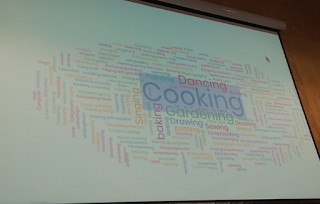
Can even skip meals if in the zone. Gardening, cooking, dance
Menti.com for quick survey on what we do to be creative - lots of people like cooking!!

We have been creating music and arts for thousands of years
An urge to communicate something
Pinterest 17.5million users
Ken Robinson quotes about creativity importance
Why is creativity important in education?
Without creativity we will not move forward
Gives everyone a chance to shine

Mayo Clinic Research 2018 - Higher rate of creativity decreases cognitive impairment by 73%
Activity 2: Write a positive phrase on paper. Make it into a paper plane. Send across the room
What is a positive message, how do I write that, how do I make a paper plane, how do I make it fly - lots of cognitive thought processes.

15hrs on academics in 30hr week, 15 hours on creative.
Look at government tests on grade 3,6,9 10 for schools
Looked at results and shows that 100%of students there over achieved at reading and writing and 97%maths
Not a direct relationship with arts and academic achievements but research shows it has indirect relationship

Activity3:  Let's draw - Graham Shaw Ted talk. Prove that you can. To be honest, I have always thought I couldn't - at all. This showed me I actually could - quite excited. These are my drawings to the right.

Creativity can be learnt
Be more creative, now.
There is a creative process.
This is awesome, then this is hard, then this sticks, then I suck, then this is ok, then I am ok, then I am awesome.
How to get more creativity in the classroom
Allow students to bring the own creativity into the classroom
Can bring your own as well. She brought sketchnote. Had youtube channel with students
Edwin Sorto video on dance
Share your creativity with your students
Jack Ma on we do not change the way we teach... It's knowledge based. Teachers must stop teaching knowledge
Values, believing, independent thinking, teamwork, care for others

I had a great time at this conference. Spending time with passionate educators, listening to new ideas and having some great conversations over lunch. Well worth going to. I am going to reflect on what I have learnt and make some personal notes on these sessions (which I write in a separate blog which is not public) and know that I still have so much to learn. I hope those that have read this also find some new ideas and are inspired to learn more.

Thursday, 8 December 2016

Apple IT training at Haeata

We were lucky to have some Apple Experts come into Haeata to talk us through getting the best use out of our laptops. These are my notes so that others can also gain some insight and perhaps get a few tips.

James Petronelli, Meredith Bean and Dan Partridge were with us for a few hours and they took us through some of the software we have on our Macs, but also gave us some hints on Accessibility and quick tips. I personally knew many of these having been a Mac user for a while but it's always good to have a reminder and as always, I learnt a few new things.

James opened with some context around using technology in the classroom and showed us a video from the String Theory Schools which I hadn't heard of. It was interesting to go and have a look at their website and learn more about this. Seeing schools using technology always brings me back to the SAMR model and
remembering why we use technology and what the reasons are for this. One app he mentioned was Elements 4D app for Chemistry where you can see reactions between 2 elements. I was intrigued by this but don't own an iPad, so I went looking for it online. I found it was available on Android and Apple so I downloaded it and had a play with it on my Android phone. It's pretty cool, but I felt the phone screen was a bit small to really see what was happening, so the bigger screen would be better. I'd love to have it on my SurfacePro with the bigger screen, so have sent the company some feedback to that effect.


As a GAFE (Google Apps ForEducation) school he asked us "how are you pushing students to demonstrate learning?" We need to go beyond what we are doing. Our technology becomes a tool - a musical instrument, a sketchpad, a camera. Apple have been working hard to cater for diverse leaners. They believe all technology needs to be accessible and straight out of the box. Apple has a screen reader and an onscreen braille keyboard accessible out of box.
I liked the question "What is the reason to download an app?" as many that are downloaded become just skill and drill apps. Students are not creating things but the technology is just keeping them occupied. They "play on iPad" instead of "learned" on iPad. Everything on iPad and laptop is for student creation not consumption.
 
"Everyone should have the opportunity to create something that can change the world"

Things that make a technology learning programme successful:
Vision, team, community, measurement, student learning, porfessional learning, environment design, financial stability.

Simon Sinek's "Starts with Why" course was mentioned and I had a look at this. I like the quote "Your Why is the very reason you exist".

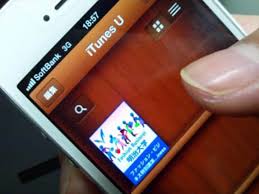
iTunesU
This is the largest site for educational content. You can download the app from the store on an iPad. It is designed for touch screen which is why it is not on a laptop.  You can create your own and access more that others have made. Opportunity for kura to create content to talk about history or for teaching Māori.
There are Podcasts created by schools, Uni, and libraries to share content.
They have been working with Te Akau Ki Papamoa Primary School putting up materials, one of these being minecraftmeasurement101: create your school in Minecraft which has all the information on how to do this. He also mentioned the Gallipoli in Minecraft Exhibition, amazing ideas in here for teaching.
There are lots of resources on iTunesU that we can redesign for our classrooms. Everything, courses and pdfs are all free. There are also Apple education courses to learn about specific Apple products - search for Apple Ed - Units of study.
We then went through how to create a course in iTunesU which was very simple. You can put anything in an iTunesU course that is digital including Mp3, pdf, audio. You can hand in assignments and also grade them, although at this stage grading is just a number, not our system of Achieved, Merit Excellence. I thought this was  quite good as a course system, but the way we are looking to have learning at Haeata it probably was not going to be that useful. I did wonder though if students could make their own courses for other students. Something to think about.

iBooks Author
The next app we looked at was iBooks Author. This is free and could be used for creating teaching resources to be read on iPad or Mac as well as for students to create their own books.
We looked at "Tigers" and were shown how you can highlight text and have text spoken to you, although the app is not good at te reo yet. More suggestions to send to Apple. However, you can record a voice into the book so you could read it yourself. You can take notes on a book which highlights it, then you can see all notes you've taken and make study cards if you want them. There are lots of cool widgets to add to books and we were taken through Phasmids  which has some great examples of widgets in action.
We also looked at the iBooks store where if you search for Apple Education there are lots of instruction books for apps. Really hepful when you get stuck!
When writing an iBook it is template based so you need to look for the layout you like. Students prefer landscape. Stick with the template by dragging and dropping. A good way to start a textbook is with a video to draw them in. The table of content auto generates which is nice.
My reservation with iBooks is that you can only play them on a Mac. I feel this could be limiting if the student doesn't have a Mac at home. I found this article which talks about the pros and cons of using iBooks. 

Tips and tricks:
Turn off notifications - Go to the top right of your screen and click on the 3 lines to find the notifications.
Adding te reo Maori keyboard instructions - Here is a link to instructions for Mac and PC.
Ability to zoom in and out - Go to Preferences - Accessibility - Zoom
Preferences tips:
Display - Can change size of cursor, contrast
Speech - Karen closest to NZ accent
Dictation - more you use it the better it works/ Open up Preferences and enable it. Will recognise some Maori place names. We all need to email Apple and tell them we want Maori dictation!
Use for writing email quickly, can dictate lots of writing.
Gestures
Closing hand on the trackpad brings up access to all apps, open up to close the screen.
To change the gesture go into Trackpad.
3 fingers pushed up to see all open apps.

To bring up Spotlight search - Command-space - can use to search anything on the laptop including emails. 
Screenshot - change where it goes to by following these instructions.

iPad 101
Button at bottom - double tap to see what you have open. Swipe it up to close it. Good to see what students have open by double tapping.
Swipe up from bottom to get control centre and use orientation lock.
Swipe down from top for notification centre.
Swipe from middle to get Spotlight.

Classroom App - free on store
You can lock iPads.
Can open same app on all iPads. Can make small groups and push out pages or apps. Can lock them in that app until teacher changes it.
Some groups are created on the fly so you can see who is on camera, in safari etc.
Can have an iPad managing multiple classes as well.
Built dependant on wifi network though. Need a good network.
Blue bar at the top of student iPad means they are being watched. Students learn to self-managed.
Can share student work on a particular iPad via AppleTV.
Can be used for NZQA online assessment and testing - could take students into an app to create assessment and can lock the iPad to that app to stop them from browsing.
It can't work with BYOD - have to be institutional iPads. 

Coding
We need to see coding as a digital literacy. I totally agree that all students hould be given the chance to code as I see it as a step to problem solving as well as a technology skill.
We had a look at Swift Playgrounds which is an app for iPad which enables you to learn to code in the language of Swift, which is for Mac. It has to be an iOS10 iPad to run.
Some notes:
Can pinch and zoom into the coding graphic
Click on character and you can choose one
Click on speed button - can run it really fast or step through slowly - can see where you go wrong
Pictures, pdf or movie to prove learning - can broadcast live
Commands can be typed in - j key drag to right and it give () or {} by just one key
Can reset page or can reset whole programme - if sharing device need to save vid or pdf and they can go back to where they are up to with menu.
In iBooks, they have built a teacher guide on how to teach students to code.
Swift is Open Source - coding for iPhone and iPad apps and for Linux as well as ports to Windows, Android and Raspberry pi.
Playgrounds are prescriptive but you can create your own later in the learning process.
Targeted at 8 to 10yrs. Can do basic coding younger than that and I found this product, OSMO, which looked like quite a cool idea to be able to create the code with your hands first. I am also very keen on the ideas on the CSUnplugged website to teach coding to students. There are lots of resources out there for Mac, Android and Windows. It's important to know what you are trying to achieve first. 

It was a great session to get to know some new apps and to think about the use for these at Haeata. It also made me think a lot about what is fit for purpose and what the best tools are for the job we want to do. We do need to be careful of jumping on a train, when there may be another one that takes us to our destination faster and with more options. There is so much out there worth investigating. 

Wednesday, 30 September 2015

My journey over time - Part 1 - Technology

I have been thinking about how my teaching has changed, and how things are so different now from when I started teaching in 1988. 27 years later and classrooms look very different. I thought I'd take a few aspects and reflect on how things have changed for me and my students.

Part One - Technology
My start at Teacher's College included learning to use tape decks and Gestetner machines, and although I was well versed in Music technology, there was very little computing happening in schools. My first school had an Apple IIe which we had in the Music office and I learnt to use Finale - a powerful piece of music software at the time. Jump forward to now and I am using Staff Pad on a Surface Pro.
Students rarely had access to computers at home and we certainly didn't use them in the classroom. Research was done in the library and through textbooks we scrimped and saved our budgets for. At my second school in the 90s we had a computer to do audio recordings on, as well as the office computer, but nothing in the classroom.

After a break in my teaching in schools to lecture at Uni, I came back to a high school just getting a brand new department, where I had the opportunity to have a computer lab. I managed to get a grant to fill this lab with Macs and have our own server so we could keep large files. Running Garageband and Sibelius and Practica Musica, this covered a good range of activities and we used the lab frequently with all classes. This then extended to a Recording studio and yet another Mac. Students were starting to get the hang of working with computers for music, although the majority in this low decile school did not have them at home. Any other work done on them was around research and typing, with very little else. Students saved work on the server and occasionally a pen drive was seen.

Another short break to lecture at Uni and then I arrived in the school I am in now. Here is a whole different ball game. I have learnt so much about technology and e-learning and change that I am excited about where things will lead us. Having slowly moved away from teaching Music and more into the Technology sphere, I realise how much more we can do. Students have BYOD, we store things in the Cloud, we communicate with students via Facebook and Twitter, and there are so many ways to collaborate and expand our minds. My goal has been to transform my teaching with technology and I have to acknowledge Andy Gorton, who is our Director of ICT, without whom I wouldn't have had my eyes opened anywhere near as far.
The SAMR model is one I have been looking at and making sure I redefine the technology in order to transform my teaching.

I read a great article yesterday titled "Three Ways to Improve Technology Assisted Learning" where it talks about mindset before resources. I believe many staff struggle with getting away from anything but substitution because their mindset is still at that level. I always used the "f" word in my teaching - Flexibility - and that goes for technology as well. Thinking outside the square, and outside the circle, just think outside and be flexible - students can teach us so much.

We have looked at Augmented Reality and I have played with Aurasma  which I would love to do more with. I have been designing Digital Badges which I believe are going to only get bigger and more important as we increase our digital skills. What's next?

So many amazing things are being done in classes - I am loving learning.